The Anatomy of a Real-Time Clinical Presentation: From Clinical Encounter to Open-Source Slides in Minutes
A few days ago, a consult reminded me why I started this blog . A colleague mentioned a new patient with a complex presentation of placenta accreta spec...
Listen to this post
The Anatomy of a Real-Time Clinical Presentation: From Clinical Encounter to Open-Source Slides in Minutes
On this page 5 sections
By Dr. Chukwuma Onyeije

A few days ago, a consult reminded me why I started this blog . A colleague mentioned a new patient with a complex presentation of placenta accreta spectrum (PAS), specifically a challenging case of placenta percreta. I had an old slide deck on the topic, but I knew it was outdated. More urgently, I needed to counsel the patient and her family, and I needed to prepare for the multidisciplinary team meeting that would determine her care plan.
The situation demanded two distinct but related presentations, and it demanded them immediately.
In the past, this would have meant hours of work: digging through PubMed, wrestling with PowerPoint, and emailing static files that would be obsolete the moment a new study was published. Instead, I was able to generate a patient-centered educational deck for counseling and a more detailed version for our multidisciplinary conference in under an hour. This wasn’t a miracle; it was the result of a deliberate, physician-built workflow. It’s a workflow that treats presentations not as static documents, but as dynamic, open-source tools for clinical care.
This post deconstructs the anatomy of that process. It’s a look at how we, as physician-developers, can leverage modern tools to create evidence-based, scalable, and real-time clinical presentations.
The Old Way: A Static Burden
Let’s be honest: the traditional presentation workflow is broken. It is a time-consuming, inefficient process that creates a significant administrative burden on clinicians. The standard approach typically involves:
| Step | Description | Time Cost | Output |
|---|---|---|---|
| 1. Manual Research | Hours spent on PubMed, UpToDate, and sifting through society guidelines. | 2-4 hours | A collection of PDFs and notes. |
| 2. Content Creation | Manually copying and pasting text, tables, and images into a slide application like PowerPoint or Google Slides. | 1-2 hours | A draft slide deck. |
| 3. Formatting | Wrestling with templates, font sizes, and alignment to create a visually coherent presentation. | 1 hour | A “final” version. |
| 4. Distribution | Emailing large, static .pptx files, which are difficult to update and track. | N/A | A fragmented, version-controlled nightmare. |
This linear, labor-intensive process produces a static artifact. The moment it’s emailed, it’s already on its way to being outdated. It cannot be easily updated, is not readily accessible to the entire care team, and is not built for the dynamic nature of clinical medicine.
The New Way: An Open-Source, AI-Assisted Workflow
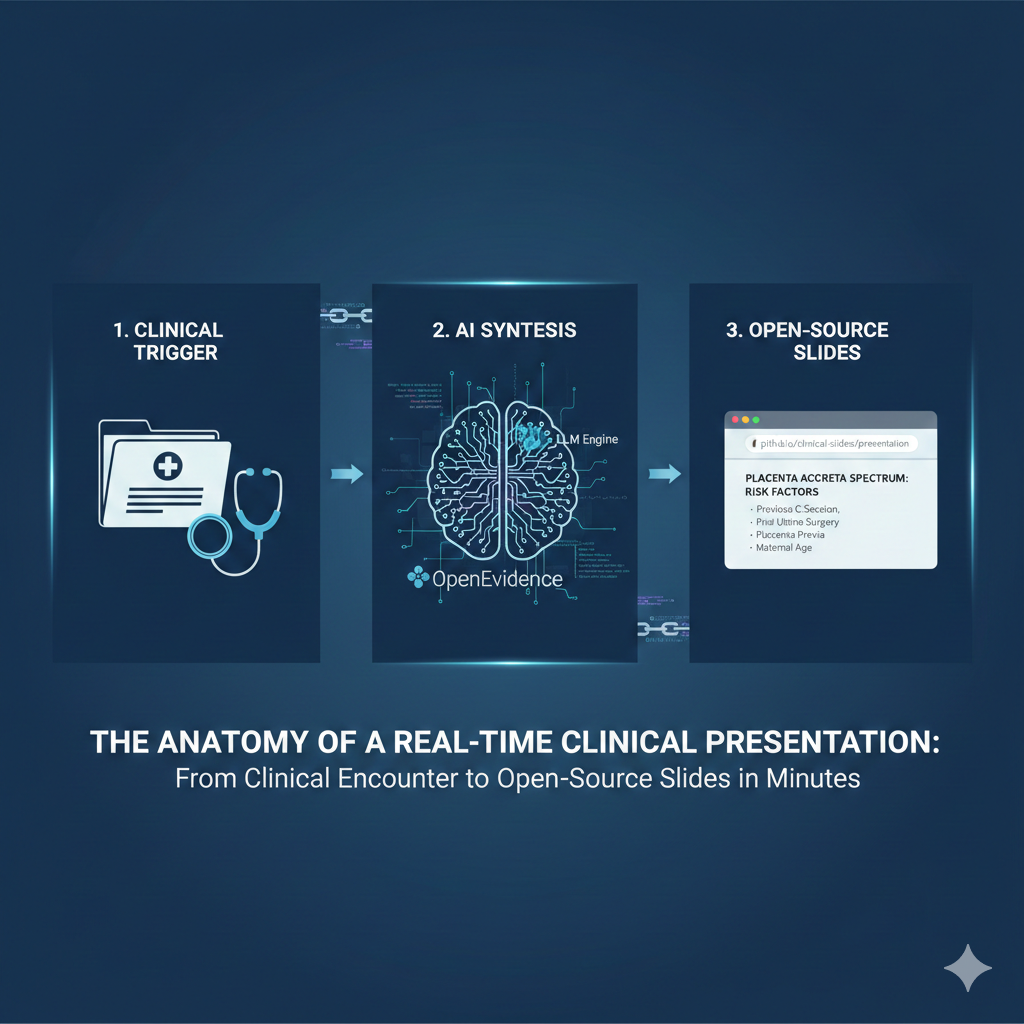
The presentation I created for the PAS patient was different. It was a single, self-contained HTML file, built from a template I designed, populated with AI-synthesized evidence, and hosted on GitHub. This approach transforms the presentation into a living document.
Here is the anatomy of this new workflow, which I call the “Presentation Chain”:
1. The Foundation: Open-Source HTML & Version Control
Instead of a proprietary format like .pptx, the presentation is a simple HTML file. This is a deliberate choice for several reasons:
-
Accessibility: Any device with a web browser can open it. No special software or licenses are required.
-
Portability: The entire presentation—text, images, styles, and interactivity—is contained in a single file.
-
Version Control: By storing this file in a Git repository (and hosting it on GitHub), we gain a complete, transparent history of every change. We can see who updated the content, when, and why. This is the same professional-grade version control that powers the world’s most complex software projects, applied to clinical education.
-
Open Source: The underlying code is open for anyone to inspect, use, and improve. My template for MFM presentations is built on this principle.
Frameworks like [reveal.js](http://reveal.js) are excellent for this, but even a simple, custom-built template provides enormous advantages over traditional methods [1].
2. The Engine: AI-Powered Evidence Synthesis
The most time-consuming part of presentation building is the research. This is where AI tools can be a game-changer. The first step in my chain is not to open a slide editor, but to consult an AI-powered evidence synthesis tool like OpenEvidence [2] or EvidenceMD [3]
The first mistake most people make with AI-assisted presentations is starting with slides. Start with evidence.
By providing a detailed prompt—outlining the clinical scenario, patient population, and specific questions—I can receive a comprehensive, citation-rich report from the peer-reviewed literature in minutes. For the PAS case, I asked for the latest evidence on diagnosis, management of percreta, and outcomes of cesarean hysterectomy versus conservative management, referencing ACOG and SMFM guidelines [4] [5]. This replaces hours of manual searching with a focused, 15-minute task.
3. The Assembly Line: The LLM-Powered Template
With a solid evidence base, the next step is to structure the narrative. This is where a Large Language Model (LLM) and a well-designed template come together. I have created a specific mfm-slide-creator skill that acts as an expert medical educator. It takes the synthesized evidence and populates a pre-defined HTML slide template according to strict design and medical constraints:
-
Minimal Text: No more than 30 words per slide.
-
High-Contrast Palette: Dark background, light text for clinical environments.
-
Guideline-Consistent Language: Precise, non-sensationalist terminology.
This automated assembly process, which I’ve refined through a tool (previously ChatGPT or Claude but now mostly Manus) turns the structured text from the evidence synthesis step into a complete, ready-to-use HTML slide deck. The result is the PAS Patient Education deck that I could immediately use for patient counseling.
Real-Time and At Scale
This workflow is not just about saving time; it’s about changing the nature of clinical communication.
It enables us to operate in real-time and at scale.
-
Real-Time: When a consult comes in at 2 PM, I can have a custom, evidence-based presentation ready for a 4 PM family meeting. The presentation is not a generic handout; it is a tool for a specific clinical encounter, created on demand.
-
At Scale: The same template and workflow can be adapted for any audience. With minor prompt adjustments, the patient education deck becomes a detailed presentation for the multidisciplinary team meeting, a lecture for residents, or even a Grand Rounds presentation. The core evidence base remains the same, but the narrative and depth are tailored to the audience.
-
A Living Document: Because the presentation is a version-controlled file hosted on a public URL, it becomes a “living” document. When the SMFM releases a new practice guideline, I can update the file in minutes, and the link I’ve shared with residents and colleagues will always point to the latest version. The presentation never goes stale.
The Physician’s Role in a World of AI
This workflow is a practical example of the core philosophy of Doctors Who Code: physicians must be architects of the technology they use. AI is not here to replace us; it is here to augment our intelligence and automate our administrative burdens, allowing us to focus on the uniquely human aspects of medicine.
By building our own tools and workflows, we can ensure that technology serves the needs of our patients and our profession. We can move from being passive consumers of clunky, inefficient software to active builders of elegant, effective solutions. The anatomy of a modern clinical presentation is not just about HTML and AI; it’s about physician agency, scalability, and a relentless focus on improving patient care.
The_Anatomy_of_an_Open-Source_Clinical_PresentationDownload
References
[1] reveal.js. “The HTML Presentation Framework.” Accessed February 22, 2026. https://revealjs.com/
[2] OpenEvidence. “OpenEvidence AI becomes the first AI in history to score above 90 percent on the USMLE.” Accessed February 22, 2026. https://www.openevidence.com/announcements/openevidence-ai-first-ai-score-above-90-percent-on-the-usmle
[3] EvidenceMD (often referred to in the context of EvidenceMD AI) is an AI-powered assistant designed for healthcare professionals and biomedical researchers to provide evidence-based, clinical reasoning. It utilizes advanced AI to synthesize scientific research and medical guidelines to answer complex clinical questions.
[4] American College of Obstetricians and Gynecologists. “Placenta Accreta Spectrum.” Obstetric Care Consensus No. 7. Accessed February 22, 2026. https://www.acog.org/clinical/clinical-guidance/obstetric-care-consensus/articles/2018/12/placenta-accreta-spectrum
[5] Society for Maternal-Fetal Medicine. “Placenta Accreta Spectrum.” Accessed February 22, 2026. https://publications.smfm.org/publications/266-acog-smfm-obstetric-care-consensus-7-placenta-accreta/

Maternal-Fetal Medicine Specialist