The Physician-Developer's FHIR Playbook: How to Pull Real Clinical Data from Epic Using Python
A step-by-step tutorial for physician-developers on authenticating with the Epic FHIR sandbox, making your first API call in Python, and building toward a SMART on FHIR clinical app -- no enterprise contract required.
In This Lesson
Read with a defined objective.
Learning objectives
- Identify common FHIR resources used by a clinical application.
- Describe the difference between a sandbox request and SMART on FHIR authorization.
- Trace a patient resource from API response to application input.
Prerequisites
- Ability to read JSON.
- Basic familiarity with Python and HTTP APIs.
Build Medical Software From Clinical Need to Tested Tool
Listen to this post
The Physician-Developer's FHIR Playbook: How to Pull Real Clinical Data from Epic Using Python

On this page 24 sections
Course lessons 5 lessons
In this course
From Clinical Need to Tested ToolWhy I Wrote This
I am a maternal-fetal medicine specialist. I see high-risk pregnancies every day. I order labs, review Doppler waveforms, interpret biophysical profiles, and make delivery timing decisions under clinical uncertainty.
I also write Python.
For years, those two identities existed in separate compartments. The clinical data I needed to build better tools sat locked inside Epic, Cerner, and Athena. I knew the data. I could not touch it programmatically. The gap between clinical insight and buildable infrastructure was the walled garden problem, and it was personal.
FHIR changed that calculation. Not completely. Not overnight. But meaningfully enough that I now believe every physician-developer owes it to themselves to understand the mechanics of healthcare interoperability at the API level.
This post is the tutorial I wish had existed when I started. By the end, you will have made a real API call to the Epic sandbox and retrieved a patient resource as structured JSON. Then I will show you where this leads: toward a class of tools I call SMART on FHIR apps, and specifically toward wrapping clinical algorithms like FGRManager into interoperable standards that live inside the EHR, not alongside it.
What I Bring to This Topic
I want to be transparent about my perspective before we go further.
I am not a health informatics researcher. I am not an EHR vendor engineer. I am a working MFM physician who also builds software. I founded OpenMFM.org to put evidence-based MFM patient education and clinical decision support tools into the open. I founded CodeCraftMD to solve medical billing and documentation problems with AI. Everything I build starts with a clinical problem I have personally encountered.
If you are new here, I am Chukwuma Onyeije, MD, FACOG, a maternal-fetal medicine specialist in Atlanta and founder of Doctors Who Code.
That context matters here because FHIR tutorials written by engineers often miss the clinical framing entirely. They explain the OAuth flow without telling you why you actually need the data. I am going to do both.
The Landscape: What FHIR Is and Why It Finally Matters
FHIR stands for Fast Healthcare Interoperability Resources. It is the HL7 standard for exchanging healthcare information using RESTful APIs. Think of it as the HTTP of clinical data: a defined, versioned, widely adopted protocol for requesting and transmitting patient information over the web.
The current version is FHIR R4. That is what you will use.
What makes FHIR different from what came before is its embrace of web-native conventions. Prior health data exchange standards, primarily HL7 v2 and HL7 v3, were designed in a different era. HL7 v2 messages are pipe-delimited text files that look like they were written for a 1990s fax machine, because in functional terms they were. FHIR resources are JSON objects. If you have used any modern REST API, you already understand most of the model.
The other reason FHIR matters right now is regulatory pressure. The 21st Century Cures Act and the CMS and ONC interoperability rules have required major EHR vendors to expose FHIR R4 APIs. This is not optional compliance theater for Epic and Cerner. It is a federal mandate with teeth. The infrastructure you are learning to use was largely built under legal compulsion, which means it exists and is being maintained whether the vendors like it or not.
For physician-developers, this is the opening.
Core FHIR Resource Types
Before you write any code, you need to understand the vocabulary. FHIR organizes clinical data into typed resources. Each resource corresponds to a clinical concept and has a defined schema.
The resources you will use most often as an MFM physician-developer:
| Resource | Clinical Content | Example Use Case |
|---|---|---|
Patient | Demographics, identifiers | Pull patient context on EHR launch |
Observation | Labs, vitals, fetal measurements | Retrieve EFW, AC percentile, HbA1c |
Condition | ICD-10-coded diagnoses | Identify GDM, FGR, preeclampsia |
MedicationRequest | Active prescriptions | Review current antihypertensives |
Encounter | Visit history | Identify prior MFM consults |
DiagnosticReport | Radiology and pathology reports | Retrieve ultrasound report text |
Procedure | Documented procedures | CPT-coded procedures in the chart |
CarePlan | Care plans and protocols | Write structured clinical recommendations back |
You request any of these via standard HTTP GET calls against the FHIR base URL, authenticated with an OAuth 2.0 Bearer token.
Setting Up Your Development Environment
I am going to walk you through the Epic sandbox specifically. Epic is the dominant EHR in U.S. academic medical centers and large health systems. If you are building tools for hospital-based practice, Epic is where you start.
Step 1: Register on Epic’s Open Portal
Go to open.epic.com and create a free developer account.
This requires no EHR contract. No hospital affiliation verification. No enterprise agreement. Epic runs an open sandbox program specifically for developers building against their FHIR API. You will create an account, verify your email, and land on the developer dashboard.
Step 2: Create a New Application
Inside the developer dashboard, create a new app. Select the following:
- Application type: Clinician-facing (for SMART EHR launch) or Backend (for server-to-server access)
- FHIR version: R4
- Access type: Sandbox
Epic will provision a Client ID for you. For production apps you will also need a Client Secret or a registered JWKS endpoint. For sandbox work, the Client ID is sufficient to start.
Note your app’s assigned FHIR base URL. For Epic sandbox, this is:
https://fhir.epic.com/interconnect-amcurr-oauth/api/FHIR/R4Step 3: Install the Python FHIR Client
pip install fhirclientThe fhirclient library is the canonical Python wrapper for the FHIR REST API. It handles resource serialization and deserialization, maps JSON responses to typed Python objects, and wraps the OAuth 2.0 authentication flow.
You will also want requests if you prefer to make raw HTTP calls, and python-dotenv to keep your credentials out of source code.
pip install requests python-dotenvCreate a .env file in your project root:
EPIC_CLIENT_ID=your_client_id_here
EPIC_FHIR_BASE=https://fhir.epic.com/interconnect-amcurr-oauth/api/FHIR/R4
Your First FHIR API Call
Here is the complete working example. This code authenticates against the Epic sandbox and retrieves a mock patient resource.
# fhir_first_call.py
# -----------------------------------------------
# Requires: pip install fhirclient python-dotenv
# -----------------------------------------------

import os
from dotenv import load_dotenv
import fhirclient.models.patient as p
from fhirclient import client

load_dotenv()

settings = {
    'app_id':   os.getenv('EPIC_CLIENT_ID'),
    'api_base': os.getenv('EPIC_FHIR_BASE'),
}

smart = client.FHIRClient(settings=settings)

# Epic sandbox test patient ID — this is a publicly documented mock patient
TEST_PATIENT_ID = 'eD4W.UMtXKAFQaUbUkb9RUg3'

patient = p.Patient.read(TEST_PATIENT_ID, smart.server)

given  = patient.name[0].given[0]
family = patient.name[0].family
dob    = patient.birthDate.isostring

print(f"Patient: {given} {family}")
print(f"DOB:     {dob}")
print(f"Gender:  {patient.gender}")
Run it:
python fhir_first_call.pyExpected output:
Patient: Maria Johnson
DOB:     1991-04-17
Gender:  female
That is it. You have made a FHIR API call. The response you just parsed was a JSON object containing a resourceType of "Patient" with structured name, birthDate, gender, and identifier fields.
What the Raw JSON Looks Like
Understanding the underlying structure matters because you will be writing queries against it. Here is what the FHIR server returned before fhirclient deserialized it:
{
  "resourceType": "Patient",
  "id": "eD4W.UMtXKAFQaUbUkb9RUg3",
  "name": [
    {
      "use": "official",
      "family": "Johnson",
      "given": ["Maria"]
    }
  ],
  "birthDate": "1991-04-17",
  "gender": "female",
  "identifier": [
    {
      "system": "urn:oid:1.2.840.114350.1.13.0.1.7.5.737384.14",
      "value": "202031"
    }
  ]
}
Every FHIR resource has a resourceType field identifying what it is and an id field that is the server-assigned unique identifier. Everything else is resource-specific schema.
Pulling Observations
A Patient resource alone is not clinically interesting. The Observation resource is where the clinical data lives. Here is how you pull all observations for a patient:
import fhirclient.models.observation as obs

# Search all observations for the test patient
search = obs.Observation.where(struct={
    'patient': TEST_PATIENT_ID,
    'category': 'laboratory'
})

bundle = search.perform_resources(smart.server)

for observation in bundle:
    code    = observation.code.text
    value   = observation.valueQuantity
    if value:
        print(f"{code}: {value.value} {value.unit}")
FHIR uses search parameter syntax to filter resources. The category parameter accepts standard codes: laboratory, vital-signs, imaging, procedure. When you are building an MFM-specific tool, you will filter on custom code values using LOINC codes for fetal biometric measurements.
Understanding SMART on FHIR Authentication
So far you have used the sandbox with a Client ID alone. That works for testing. In production, your app needs to authenticate on behalf of a specific clinician interacting with a specific patient inside the EHR. That is what SMART on FHIR solves.
SMART on FHIR is an OAuth 2.0 profile designed for healthcare. It defines a launch protocol that allows an EHR to open your app with patient context already established, and allows your app to request only the data it needs through scoped permissions.
The authorization flow works like this:
- App Launch: The EHR opens your app via a SMART launch URL with an
issparameter (the FHIR server URL) and alaunchtoken. - Authorization Request: Your app redirects to the EHR’s authorization endpoint, requesting specific scopes such as
patient/*.readandlaunch/patient. - User Consent: The authenticated clinician approves the access request. The EHR issues an authorization code.
- Token Exchange: Your app exchanges the authorization code for an access token and patient context parameters (the patient ID, encounter ID, etc.).
- FHIR API Calls: All subsequent API calls use the Bearer access token in the
Authorizationheader.
The key scope for read-only clinical access is patient/*.read. This grants your app access to all FHIR resources associated with the in-context patient. For write access you would request patient/*.write, but start with read only until your application logic is validated.
The Python implementation with the SMART launch protocol looks like this:
from fhirclient import client

settings = {
    'app_id':       'my_mfm_app',
    'app_secret':   os.getenv('EPIC_CLIENT_SECRET'),
    'api_base':     os.getenv('EPIC_FHIR_BASE'),
    'redirect_uri': 'http://localhost:8080/callback',
    'scope':        'launch/patient patient/*.read openid fhirUser',
}

smart = client.FHIRClient(settings=settings)

# Redirect the user to this URL to begin the auth flow
auth_url = smart.authorize_url
print(auth_url)
After the user authenticates and consents, the EHR redirects back to your redirect_uri with an authorization code. You then call smart.handle_callback(callback_url) to complete the token exchange and establish the authenticated session.
From Algorithm to SMART App: The FGRManager Case Study
I built FGRManager as a single-file vanilla JavaScript tool that operationalizes SMFM Consult Series #52 on fetal growth restriction management. It helps clinicians apply the surveillance intervals and delivery timing recommendations from that guideline without having to hold the entire decision tree in working memory during a consult.
It works. Colleagues use it. But in its current form, it has a structural limitation: every data point is manually entered. The estimated fetal weight, the abdominal circumference percentile, the umbilical artery Doppler findings — a clinician has to transcribe those values from the EHR screen into the tool. That is friction. Friction creates errors. Errors harm patients.
As a SMART on FHIR app, FGRManager would change meaningfully:
What changes with FHIR integration:
- On EHR launch, the app receives patient context automatically
- The
Observationresources for EFW and AC percentile populate directly from the FHIR server - Doppler findings documented in structured observation fields feed the decision engine without manual transcription
- Delivery timing recommendations could be written back to the EHR as a
CarePlanresource, creating a structured, retrievable record of the clinical decision
The clinical algorithm is the same. The data pipeline becomes automated. The documentation becomes bidirectional.
This is what I mean when I say FHIR is not a technology story. It is a patient safety story.
Here is a minimal sketch of how the FGRManager SMART launch would initialize:
# fgr_smart_app.py
# Demonstrates patient context retrieval on SMART launch

import os
from fhirclient import client
import fhirclient.models.observation as obs

def get_fetal_biometrics(smart, patient_id):
    """
    Retrieve fetal biometric observations for FGR assessment.
    LOINC 11727-5: Fetal Body weight estimated
    LOINC 11979-2: Abdominal circumference
    """
    loinc_codes = '11727-5,11979-2'

    search = obs.Observation.where(struct={
        'patient':  patient_id,
        'code':     loinc_codes,
        '_sort':    '-date',
        '_count':   '5',
    })

    results = search.perform_resources(smart.server)
    biometrics = {}

    for observation in results:
        code = observation.code.coding[0].code
        if observation.valueQuantity:
            biometrics[code] = {
                'value':  observation.valueQuantity.value,
                'unit':   observation.valueQuantity.unit,
                'date':   observation.effectiveDateTime.isostring,
            }

    return biometrics


def assess_fgr_risk(biometrics):
    """
    Apply SMFM Consult Series #52 surveillance criteria.
    This is a simplified example — full implementation at openmfm.org/fgr
    """
    efw_code = '11727-5'
    ac_code  = '11979-2'

    if efw_code not in biometrics:
        return {'risk': 'indeterminate', 'reason': 'No EFW on record'}

    efw_percentile = biometrics[efw_code]['value']

    if efw_percentile < 3:
        return {'risk': 'severe', 'surveillance': 'Weekly BPP + UA Doppler'}
    elif efw_percentile < 10:
        return {'risk': 'moderate', 'surveillance': 'Biweekly growth + Doppler'}
    else:
        return {'risk': 'low', 'surveillance': 'Routine per gestational age'}


# On SMART launch, patient_id is available in smart.patient_id
if __name__ == '__main__':
    settings = {
        'app_id':   os.getenv('EPIC_CLIENT_ID'),
        'api_base': os.getenv('EPIC_FHIR_BASE'),
    }
    smart = client.FHIRClient(settings=settings)

    patient_id = 'eD4W.UMtXKAFQaUbUkb9RUg3'  # Injected on real SMART launch
    biometrics = get_fetal_biometrics(smart, patient_id)
    assessment = assess_fgr_risk(biometrics)

    print(f"FGR Risk: {assessment['risk']}")
    print(f"Surveillance: {assessment.get('surveillance', 'N/A')}")
This is not a production implementation. It is an architectural sketch. But the skeleton is real: FHIR query for typed clinical observations, structured assessment logic, and a clear output that maps to clinical decisions.
What This Series Covers
This post is the foundation. The next two posts in this series go deeper:
Post 01 — Demystifying FHIR: A Physician’s Guide to Making Your First API Call
Full tutorial on sandbox setup, OAuth authentication, and pulling Patient and Observation resources in Python. We will parse the FHIR response into a structured data class you can use inside a clinical algorithm.
Post 02 — Escaping the Walled Garden: How to Build a Local SMART on FHIR App
End-to-end SMART on FHIR app implementation. We will wrap a clinical algorithm into a proper SMART launch flow, handle the OAuth callback, and look at writing a CarePlan resource back to the EHR. I will use FGRManager as the reference implementation throughout.
Frequently Asked Questions
The questions below are the ones I get from physician colleagues when I describe this work. I am including them here because they reflect real uncertainty, not rhetorical setup.
Do I need Epic’s permission to use the FHIR sandbox?
No. The Epic sandbox at open.epic.com is publicly accessible. You create a free developer account, register an app, and receive a Client ID. No hospital affiliation is required, no contract is needed, and there is no cost. Epic specifically created this environment for developers to build and test against synthetic patient data.
Is FHIR R4 the right version to target?
Yes. FHIR R4 is the version required by the CMS and ONC interoperability rules that took effect in 2021. It is what all major EHR vendors expose for certified third-party access. FHIR R5 exists but has limited production adoption. Build for R4.
What programming languages have FHIR client libraries?
Python (fhirclient), JavaScript/TypeScript (fhir.js), Java (HAPI FHIR), .NET (Firely SDK), and Ruby all have maintained client libraries. For web-facing SMART apps, JavaScript or TypeScript is the natural choice. For data pipelines and clinical algorithm implementations, Python is what I use.
What are the realistic limitations of FHIR access in clinical settings?
Several. First, sandbox access and production access are completely different. Production FHIR access requires an application review process, security documentation, and in many cases a data use agreement with the health system. Second, data completeness varies by institution. What gets documented in structured FHIR fields versus free text varies enormously across hospitals. Third, you are dependent on the health system’s EHR configuration and what data elements they have chosen to expose. FHIR defines what is possible; local implementation determines what is available.
Can I write data back to the EHR through FHIR?
Yes, with the right scopes and the health system’s permission. The patient/*.write scope enables POST and PUT operations on FHIR resources. Practically, most health systems are extremely conservative about granting write access to third-party applications, and with good reason. I would plan to start with read-only access and treat write access as a later-stage conversation with your health system’s informatics team.
How does FHIR relate to CDS Hooks?
CDS Hooks is a companion standard to FHIR. Where FHIR gives you an API for data retrieval, CDS Hooks gives you a protocol for triggering clinical decision support at defined points in the EHR workflow: when a prescription is being ordered, when a patient chart is opened, when an order is about to be signed. A CDS Hook calls your external service, passes the patient context as FHIR resources, and your service returns structured clinical suggestions that appear as cards inside the EHR interface. CDS Hooks is where FHIR-based clinical decision support becomes genuinely embedded in the clinical workflow rather than running alongside it.
The Deeper Argument
I want to close with something more direct than a call to action.
Physician-developers are not just a niche demographic. We are an emerging professional class with a specific and non-replicable capability: we understand both the clinical problem and the technical solution at sufficient depth to bridge them without a translator.
The EMR companies have had exclusive custody of clinical data for thirty years. FHIR does not end that custody, but it creates a lawful, standardized mechanism for physicians to access it programmatically. That is not a small thing. It is a structural change in who gets to build clinical tools and what those tools can know.
Every physician who learns to make a FHIR API call is one fewer physician who has to wait for a vendor roadmap to get a clinical workflow tool built. That is the bet I am making with this blog, with OpenMFM, and with CodeCraftMD.
The data is yours. The API is open. Start building.
Get Started This Week
The concrete next step is fifteen minutes of work.
- Go to open.epic.com and create a developer account
- Register a sandbox application and copy your Client ID
- Run
pip install fhirclient python-dotenv - Copy the code from the First API Call section above
- Replace the test patient ID with any Epic sandbox patient ID (listed in Epic’s documentation)
- Run the script
You will have retrieved your first FHIR patient resource before the end of the hour.
When you do, I want to hear about it. Find me on X/Twitter and Bluesky. Tell me what you built. Tell me where you got stuck. The physician-developer community is built on shared infrastructure and shared learning. This post is my contribution to that infrastructure. Your project is the next layer.
About the Author
Chukwuma Onyeije, MD, FACOG is a Maternal-Fetal Medicine specialist and Medical Director at Atlanta Perinatal Associates in Atlanta, Georgia. He is the founder of CodeCraftMD, an AI-powered medical billing and documentation platform, and OpenMFM.org, an open-source MFM patient education and clinical decision support platform. He writes at the intersection of clinical medicine, software engineering, and AI at DoctorsWhoCode.blog.
He is a Fellow of the American College of Obstetricians and Gynecologists, an elder at Atlanta North Seventh-day Adventist Church, and an endurance athlete following a whole-food plant-based protocol. His clinical and technical writing focuses on the physician as infrastructure builder — a professional capable of countering health misinformation and building evidence-based tools that outlast individual clinical encounters.
This post is part of the Practical Interoperability series on DoctorsWhoCode.blog. Read next: Demystifying FHIR: A Physician’s Guide to Making Your First API Call and Escaping the Walled Garden: How to Build a Local SMART on FHIR App.
Slide deck: Practical Interoperability — FHIR and EMR Integration
Related articles
JSON for Physicians: The Structured Data Your Clinical AI Actually Needs
A physician's guide to JSON, FHIR JSON, and structured clinical data for APIs, interoperability, and medical AI.
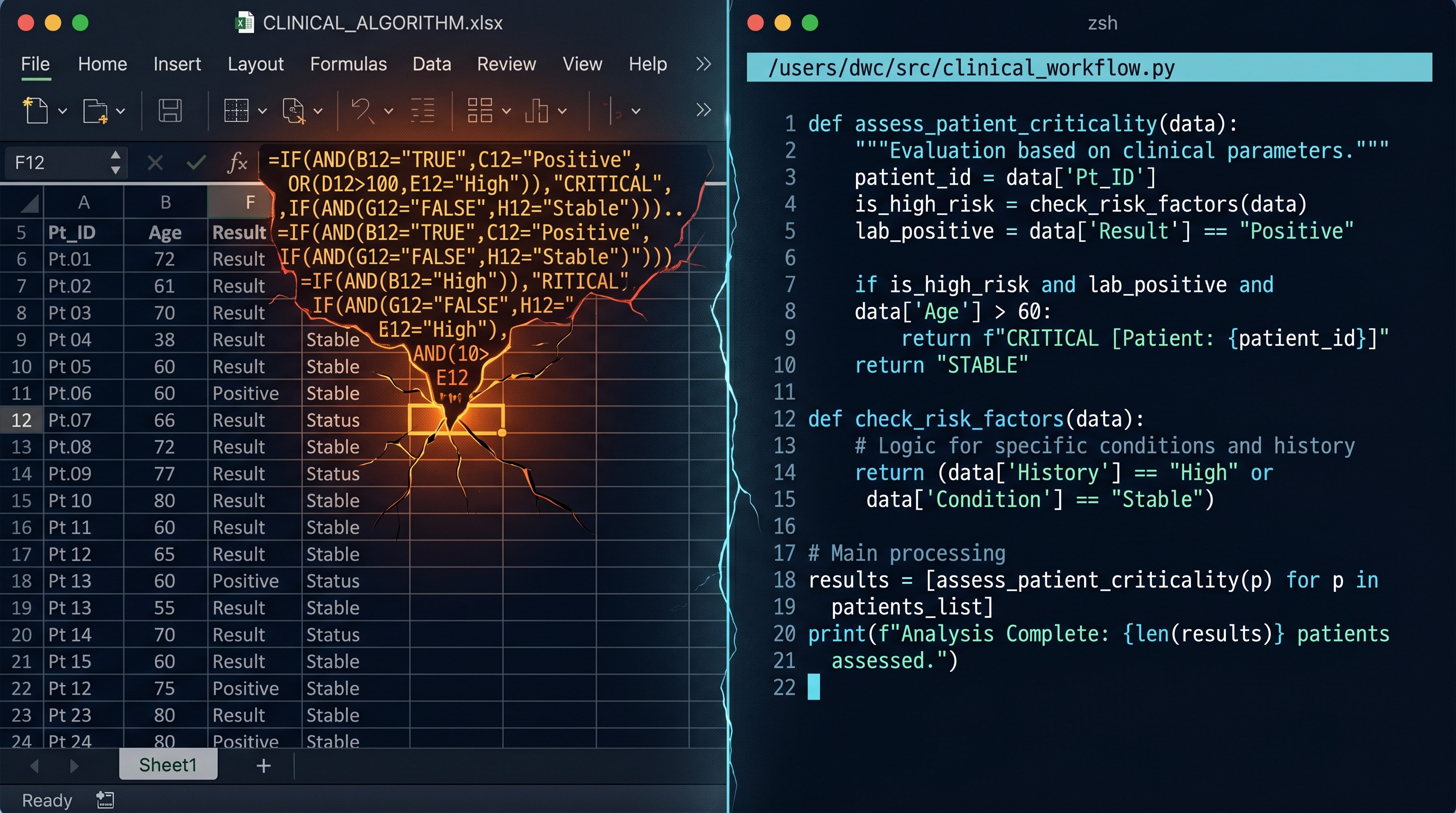
From Excel to Python: When Your Spreadsheet Becomes a Liability
Excel is often the right first move for a physician-builder. The problem begins when clinical logic stays trapped in a container that can no longer safely hold it.

The Moment a Clinical Tool Becomes Infrastructure
A short introduction to a DoctorsWhoCode series on spreadsheets, tests, and retrieval as the basic discipline of physician-built clinical software.

Maternal-Fetal Medicine Specialist