The Physician's Stack: Obsidian + Claude Code + Local LLM
How to build a clinical knowledge vault without sending patient data to anyone's server. The two-vaults architecture, ingestion workflows, and the HIPAA-first policy.
Listen to this post
The Physician's Stack: Obsidian + Claude Code + Local LLM
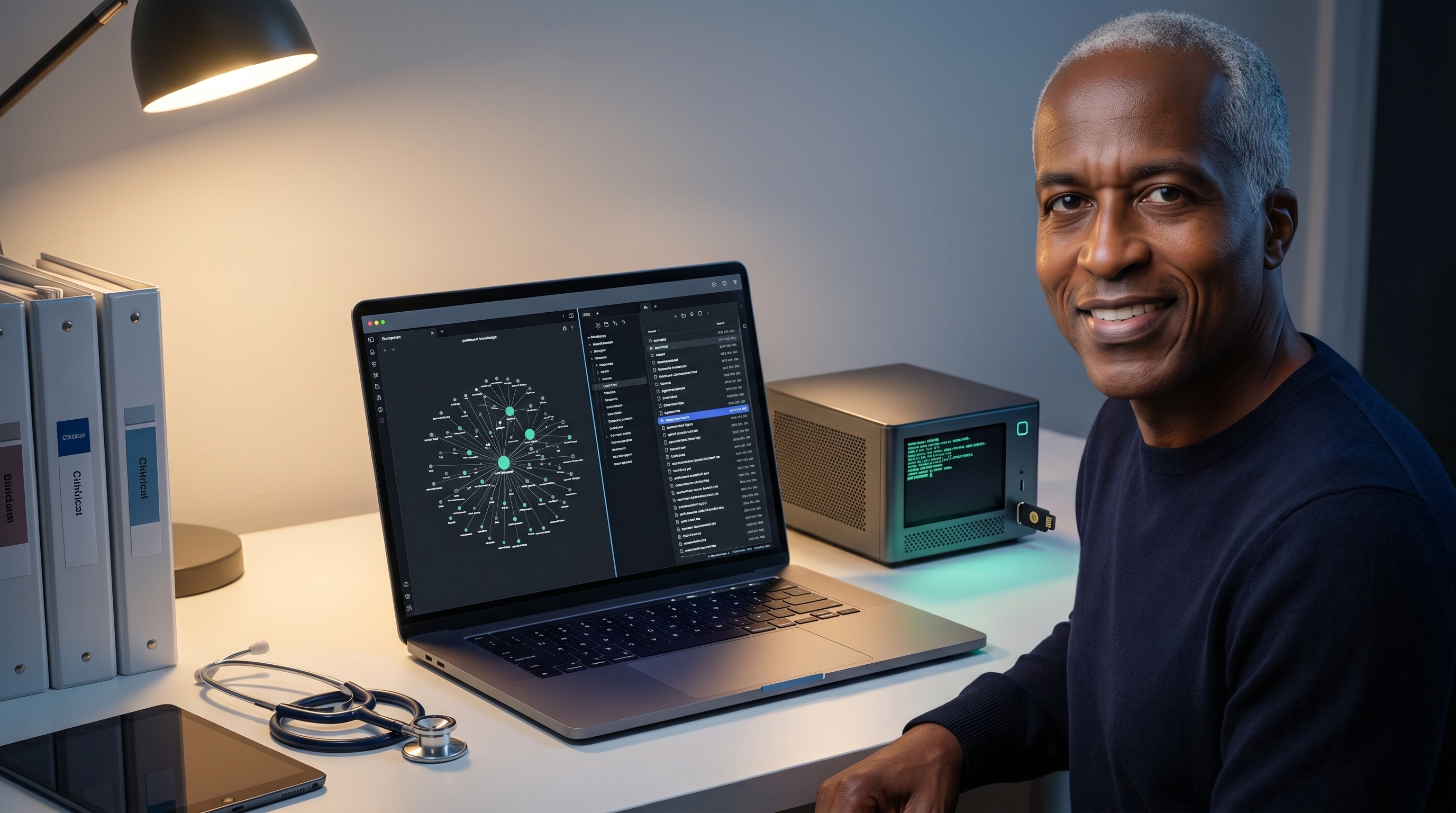
On this page22 sections
The theory is one thing. Building it is another.
This post is the blueprint. If you have read Posts 1 and 2, you understand the LLM Wiki concept. Now comes the implementation layer: the actual tools, the actual architecture, and the actual guardrails that keep your clinical knowledge private, under your control, and HIPAA-compliant.
The Architecture: Two Vaults, One Constitution
The central insight is this: not all knowledge needs to live in the same place.
You need two separate Obsidian vaults.
The AI Vault
This is where your LLM Wiki lives. Two folders:
raw/ - Sources as ingested. PDFs converted to markdown, web-clipped articles, guideline excerpts, research you feed in. This is the source layer.
wiki/ - Compiled entity pages. AEDV management (with evidence hierarchy, SMFM vs. ACOG distinctions, your institutional protocol, specific drug interactions). Gestational hypertension (with decision trees by trimesters, medication safety in pregnancy, follow-up intervals). Preterm birth prediction (with biomarkers, risk scoring, evidence quality flags).
The LLM maintains this vault. You query it. You curate the ingestion workflow. You do not manually file things.
The Human Vault
This is your original thinking. Your blog drafts. Your clinical reasoning notes. Your case reflections that have not yet become generalizable knowledge. Your CLAUDE.md rules. Your notes on when you changed your mind and why.
This vault is yours. It does not get fed to the LLM. It is where you synthesize before the synthesis becomes part of the compiled wiki.
CLAUDE.md as Vault Constitution
Both vaults have a CLAUDE.md file. Think of it as a constitution for how that vault operates.
The AI Vault’s CLAUDE.md specifies:
# AI Vault Governance

vault_name: "MFM Clinical Knowledge Compilation"
owner: "Chukwuma Onyeije, MD, FACOG"
purposes:
  - Clinical evidence synthesis
  - Practice protocol documentation
  - Guideline integration

ingest_rules:
  - Source must be verifiable
  - RCT flagged separately from case reports
  - SMFM/ACOG references supersede general guidelines
  - Patient-derived insights redacted to preserve privacy

entities_must_include:
  - Evidence hierarchy (RCT / RCT-ish / case / expert)
  - Applicable gestational ages
  - Institutional protocol notes
  - Date last updated
  - Contradictions with prior versions

lint_frequency: "Weekly"
lint_triggers_review_if:
  - Contradiction detected
  - Source material >12 months old
  - Entity has <50% RCT support

hipaa_compliance:
  - No identifiable patient data
  - De-identification applied to all case material
  - Local processing only
The Human Vault’s CLAUDE.md is simpler:
# Human Vault Governance

vault_name: "Clinical Practice Notes + Synthesis WIP"
purpose: "Original thinking, draft content, case reflections"

rules:
  - First-draft zone
  - Keep patient identifiers separate
  - Tag ideas with maturity level
  - Use this to decide what graduates to AI Vault
This matters because CLAUDE.md lives in version control. If you need to audit how a particular synthesis came to be, you have the rules that governed the ingest. If you hand the vault off, your successor knows the governance framework.
The Ingestion Workflow: Three Document Types
Most clinical knowledge comes through three channels. Here is how you handle each.
Type 1: Published Clinical Guideline PDF
Example: SMFM guideline on fetal growth restriction, ACOG committee opinion on gestational diabetes screening.
Workflow:
-
Docling conversion: Download the PDF. Run it through Docling (open-source document parsing). Output: clean markdown with structure preserved.
-
Ingest to raw/: Save the markdown to
raw/smfm-fgr-2024.mdwith metadata header:source_url,publication_date,authority,format: guideline. -
AI processes it: Claude Code reviews the markdown. Extracts key recommendations. Identifies which entity pages need updating or creation. Examples: FGR management entity, Fetal Doppler assessment entity, Delivery timing decision tree.
-
Updates wiki/: The AI creates or updates entity pages, flagging which claims come from this source, what evidence level they have, and any contradictions with prior entries.
-
You review and lint: The AI surfaces conflicts. You decide: is the new guideline better evidence, or is there a reason your institution has maintained a different approach? You document the decision in a
decisions/folder.
The SMFM 2024 guidance on FGR now lives in your wiki not as raw PDF but as integrated synthesis.
Type 2: Journal Article (Via Web Clipper)
Example: A novel study on novel angiogenic biomarkers for preeclampsia screening. A case series on periviable birth outcomes. A health services research paper on outcomes by hospital volume.
Workflow:
-
Web clip: Use a browser extension (Save to Obsidian, Obsidian Web Clipper, or similar) to capture the article directly to
raw/articles/. -
Tagging: Tag the clip with
source: journal,evidence: RCT|observational|case|review,relevance: mfm|obstetrics|general. -
AI ingest: Claude Code reads the clipped article. Extracts findings. Determines which entity pages it touches. Creates new entities if needed.
-
Integration: The entity page for preeclampsia prediction now includes not just SMFM guidelines but the latest biomarker research, with evidence quality properly flagged, dates tracked, and contradictions noted if the new research conflicts with prior recommendations.
You do not manually update the entity page. The AI compiles it. You just feed the source.
Type 3: Your Own De-Identified Consult Note
Example: A complex case you managed: multiple gestation, intrauterine growth restriction in one twin, preeclampsia at 32 weeks. You want to integrate your clinical reasoning into the vault.
Workflow:
-
Local processing only: This note contains no identifiable patient data, but it is adjacent to patient data. It never leaves your machine.
-
Ollama local LLM: You have a local LLM running on your hardware (Ollama with Mistral or Llama 3). Your note goes here, not to Claude Code or any cloud service.
-
Ingest workflow: The local model extracts your clinical reasoning. What decision points did you face. What evidence did you weight. What did you change your mind about mid-management.
-
Pattern extraction: The model identifies generalizable patterns: “This case taught me that preeclampsia at 32 weeks with severe asymmetric FGR and reduced amniotic fluid requires delivery in this setting because neonatal outcomes data show X.”
-
Optional elevation to wiki: If the pattern feels generalizable, you manually decide whether to add it to the AI Vault with a tag:
source: institutional practice | physician-derived | evidence: case.
The key: this note never travels. It stays on your hardware. Your clinical reasoning is yours. Only the synthesized pattern potentially graduates to the shared vault, and only if you approve.
The Local-First HIPAA Policy
This is where most people get nervous. And they should. The HIPAA implications of AI in clinical practice are real.
Here is how you draw the line.
What Goes to Claude Code (Cloud AI)
- Published guidelines, standards, and public literature
- De-identified synthesis (preeclampsia risk factors, not patient names)
- Entity page queries and reasoning
- Your blog posts and non-clinical writing
- Clinical protocols stripped of all identifiers
Rule: If it contains only facts that apply to populations, not specific people, it can go to the cloud.
What Stays on Ollama (Local Hardware)
- Any note that originated from a patient encounter
- Any case reasoning that could be traced back to an individual
- Institutional data, outcome statistics, protocols with potentially identifying details
- Your personal clinical judgments on specific patients
- De-identified case material that you want private intellectual property
Rule: If it originated from patient care, it never leaves your network.
Why This Line Matters
The cloud AI companies are trustworthy. Anthropic has SOC 2 certification. OpenAI has enterprise security. But trustworthiness is not the only variable.
Data breaches happen. Subpoenas happen. TOS changes happen. A platform you trust in 2026 might be acquired or change policies. Your patient data sitting on someone else’s servers is always, always a risk vector you do not fully control.
The local-first architecture means:
- Data sovereignty: Your clinical data does not leave your premises
- No BAA complexity: You are not the covered entity sending data to a business associate. You are you, using your own infrastructure
- Offline resilience: Your vault works without internet
- Legal clarity: If a patient consult note never touches the internet, it is dramatically harder to subpoena
- Cost: A local GPU amortizes quickly and scales under your control
Setup Instructions
Step 1: Create Both Vaults
mkdir -p ~/Documents/MFM-AI-Vault
mkdir -p ~/Documents/MFM-Human-Vault

cd ~/Documents/MFM-AI-Vault
mkdir raw wiki decisions
echo "# MFM Clinical Knowledge Compilation" > CLAUDE.md

cd ~/Documents/MFM-Human-Vault
mkdir drafts cases reasoning
echo "# Clinical Practice Notes + Synthesis WIP" > CLAUDE.md
Step 2: Obsidian Setup
Open Obsidian. Create two separate vaults pointing to those directories. Enable git integration for both (so changes are version-controlled).
Step 3: Install Ollama (Local LLM)
# macOS
brew install ollama

# Linux
curl https://ollama.ai/install.sh | sh

# Pull a model (Mistral is fast and capable)
ollama pull mistral

# Run it
ollama serve
This runs on localhost:11434. It never connects to external servers.
Step 4: Claude Code Integration
Set up Claude Code with read/write access to your AI Vault. Configure the instructions so it understands:
- Ingest workflow: read from raw/, compile to wiki/
- Query behavior: retrieve from wiki/, not raw/
- Lint frequency and lint rules
- Evidence hierarchy and flags
Step 5: Web Clipper
Install the Obsidian Web Clipper browser extension. Configure it to save to raw/articles/ in the AI Vault. Test with a PubMed article or a clinical guidelines page.
Step 6: Your First Ingest
- Find a PDF of a clinical guideline you use (SMFM, ACOG, NICHD)
- Convert via Docling (command line or web:
docling <pdf_url>) - Save to
raw/ - Tell Claude Code: “Ingest this guideline into the wiki. Create/update entity pages for [topics]. Flag any contradictions with existing entities.”
- Review the output. Check that entity pages are being created correctly.
- Lint the vault to see if contradictions are flagged properly.
The Flywheel
After your first three ingests, you will notice something: the query experience changes.
You ask your AI Vault: “What is the surveillance interval for AEDV in severe FGR at 28 weeks?”
Instead of RAG hunting for textually similar chunks, the vault retrieves an existing AEDV entity page that you have already compiled. It knows the difference between 2023 and 2024 SMFM guidance. It knows your institutional protocol. It surfaces the evidence hierarchy. Every subsequent query benefits from the synthesis that already exists.
That is the flywheel. The more you ingest, the more valuable the vault becomes. Not linearly. Exponentially.
Key Takeaways
- Separate vault architecture: AI Vault (compiled entities) and Human Vault (original thinking)
- CLAUDE.md documents governance rules for both vaults
- Three ingestion patterns cover most clinical sources: guidelines, journal articles, institutional cases
- Local-first HIPAA policy: cloud for de-identified synthesis, local hardware for anything patient-adjacent
- Ollama runs on your machine; Claude Code handles general reasoning; both respect the data boundary
- Setup is simple: Obsidian, git, Ollama, web clipper, and Claude Code integration
Series Navigation
← Post 2: What Karpathy Actually Built | Post 4: The Thinking Partner Commands →
Related articles
The PKM System That Was Never Built for You
Why every personal knowledge management app failed physicians specifically, and why Karpathy's April 2026 LLM Wiki changes everything.

Building the Physician's Knowledge Flywheel
Why the vault gets exponentially more valuable the more you use it. The long-game thesis: this is the clinical infrastructure that vendors cannot build.
The Thinking Partner Commands Every Physician Should Build
Slash commands that replace the morning literature review. /challenge, /emerge, /connect, /close-clinic, /graduate: clinical reasoning augmentation, not automation.

Maternal-Fetal Medicine Specialist