Deployment: When Your Code Becomes Clinical Reality
An app on your laptop helps no one. Deployment is the step where physician-developer work finally becomes available to patients, colleagues, and clinics.
In This Lesson
Read with a defined objective.
Learning objectives
- Separate frontend, backend, database, and environment configuration.
- Define a smoke test for the deployed application.
- Name the monitoring and governance work that begins after release.
Prerequisites
- A version-controlled application with a passing test suite.
Build Medical Software From Clinical Need to Tested Tool
Listen to this post
Deployment: When Your Code Becomes Clinical Reality

On this page26 sections
I showed a colleague the Risk Companion running on my laptop during a department meeting. He asked for the link so he could share it with his patients.
I did not have a link. It was running on port 4321 on a machine that was not connected to the internet. For his patients, it did not exist.
That conversation is why this post exists.
The Deployment Problem
Every tool in this series has been built to run locally. npm run dev on port 4321. uvicorn on port 8000. A Docker container on your machine. Useful for building. Useless for anyone else.
Deployment is the step that changes a personal project into a clinical tool. It moves your code from your laptop to servers that are always on, always connected, and reachable from any browser on earth.
It is also the step that most physician-developers stall on. Not because it is technically hard. Because the mental model is unfamiliar. What goes where? What is a “frontend” deployment versus a “backend” deployment? What are environment variables and why do they matter before you can deploy anything?
This post answers those questions and walks through the complete deployment of the Preeclampsia Risk Companion.
The Mental Model: Two Deployments
Our project has two distinct pieces that deploy to two distinct places.
The frontend is the Astro site: the HTML, the MDX content, the React components, the Tailwind styles. It produces static files. When someone visits the URL, a server sends them those files and the browser renders the page. No computation happens on the server at request time. Vercel hosts this.
The backend is the FastAPI server and the Postgres database. When the calculator submits a risk assessment, the frontend sends an HTTP request to the backend, the backend runs Python code, and the database writes a row. Computation happens on the server at request time. Railway hosts this.
User's browser
    │
    ├──→ Vercel (Astro frontend)
    │        Serves HTML, CSS, JavaScript files
    │        Static. No computation at request time.
    │
    └──→ Railway (FastAPI + Postgres)
             Runs Python code
             Reads and writes the database
             Returns JSON
The two services talk to each other. The frontend sends POST requests to the backend. The backend’s URL is stored in the frontend as an environment variable so the frontend knows where to find it.
Environment Variables
An environment variable is a value your code reads at runtime from its environment rather than from the source code.
In development, we hardcoded the backend URL:
await fetch("http://localhost:8000/api/assessments", { ... })That URL is wrong in production. The backend will not be at localhost:8000 on Vercel’s servers. It will be at a Railway URL like https://risk-companion-api.up.railway.app.
The solution is an environment variable:
const API_URL = import.meta.env.PUBLIC_API_URL;
await fetch(`${API_URL}/api/assessments`, { ... })
import.meta.env.PUBLIC_API_URL reads a variable called PUBLIC_API_URL from the environment. In development, it comes from .env. In production, it comes from the value you set in Vercel’s dashboard.
The PUBLIC_ prefix in Astro is required for variables that are used in client-side code. Astro exposes variables with this prefix to the browser. Variables without the prefix are server-only.
Before You Deploy: Preparing the Project
Two changes are required before the project can deploy successfully.
Update the API URL to use an environment variable
In .env (local development), add:
PUBLIC_API_URL=http://localhost:8000
DATABASE_URL=postgresql://postgres:localdev@localhost:5432/riskcompanion
In src/components/RiskCalculator.tsx, replace the hardcoded URL:
// Before
await fetch("http://localhost:8000/api/assessments", { ... })

// After
const API_URL = import.meta.env.PUBLIC_API_URL ?? "";
await fetch(`${API_URL}/api/assessments`, { ... })
Update CORS in the FastAPI backend
The FastAPI backend currently only allows requests from http://localhost:4321. In production, it needs to allow the Vercel domain. We do not know the Vercel URL yet, so we will use an environment variable for this too.
Update api/main.py:
import os

ALLOWED_ORIGIN = os.getenv("ALLOWED_ORIGIN", "http://localhost:4321")

app.add_middleware(
    CORSMiddleware,
    allow_origins=[ALLOWED_ORIGIN],
    allow_methods=["GET", "POST"],
    allow_headers=["*"],
)
Create the Python requirements file
Railway needs to know what Python packages to install. Create api/requirements.txt:
fastapi==0.115.0
uvicorn==0.30.0
prisma==0.15.0
pydantic==2.7.0
Pin the versions. A deployment that works today should still work six months from now when you push a documentation fix. Unpinned dependencies introduce silent breaking changes.
Create the Railway start configuration
Create railway.toml at the project root:
[build]
builder = "nixpacks"

[deploy]
startCommand = "cd api && uvicorn main:app --host 0.0.0.0 --port $PORT"
healthcheckPath = "/docs"
healthcheckTimeout = 30
restartPolicyType = "on_failure"
Railway injects $PORT automatically. The --host 0.0.0.0 is required — without it, Railway’s load balancer cannot reach the server.
Push to GitHub
Everything deploys from a Git repository. If you do not have one set up yet:
git init
git add .
git commit -m "Initial commit — Preeclampsia Risk Companion"
Create a new repository on GitHub and push:
git remote add origin https://github.com/YOUR_USERNAME/preeclampsia-risk-companion.git
git push -u origin main
Verify .gitignore contains:
.env
node_modules/
__pycache__/
*.pyc
dist/
.astro/
The .env file must not be in the repository. It contains your local database password. In production, the environment variables are set in the hosting dashboards, not in files.
Deploying the Backend: Railway
Railway is a hosting platform that runs servers and databases. It reads your repository, detects the application type, and builds it. The free tier is sufficient for a tool at this stage.
Create a Railway project
Go to railway.app and sign in with GitHub.
Click New Project. Select Deploy from GitHub repo. Choose the preeclampsia-risk-companion repository. Railway will scan the repository and find the railway.toml configuration.
Add a Postgres database
In the Railway project dashboard, click New. Select Database, then Add PostgreSQL.
Railway provisions a Postgres database and generates a DATABASE_URL. This URL is available as an environment variable within the Railway project automatically.
Click on the Postgres service and navigate to Variables. Copy the DATABASE_URL value. You will need it in a moment.
Configure the API service environment variables
Click on the API service (not the Postgres service). Navigate to Variables. Add:
DATABASE_URL    = (paste the value from the Postgres service)
ALLOWED_ORIGIN  = https://YOUR-VERCEL-URL.vercel.app
You do not know the Vercel URL yet. Set ALLOWED_ORIGIN to a placeholder for now. You will update it after deploying the frontend.
Run the database migration
Railway does not run Prisma migrations automatically. You need to run it once manually after the first deployment.
In the Railway CLI:
npm install -g @railway/cli
railway login
railway link   # links this directory to your Railway project
railway run npx prisma migrate deploy
prisma migrate deploy runs pending migrations without the interactive prompts that prisma migrate dev uses. It is the production migration command.
Get the backend URL
After the first successful deploy, Railway shows the service URL in the dashboard. It looks like:
https://preeclampsia-risk-companion-api-production.up.railway.appCopy it. You will set it as PUBLIC_API_URL in Vercel.
Deploying the Frontend: Vercel
Vercel is a hosting platform built for frontend projects. It connects to your GitHub repository and deploys on every push to main. The free tier is sufficient for this project.
Connect the repository
Go to vercel.com and sign in with GitHub.
Click Add New Project. Select the preeclampsia-risk-companion repository. Vercel detects that the project uses Astro and pre-configures the build settings:
- Framework Preset: Astro
- Build Command:
npm run build - Output Directory:
dist
Do not change these.
Set the environment variables
Before clicking Deploy, open Environment Variables and add:
PUBLIC_API_URL = https://preeclampsia-risk-companion-api-production.up.railway.appUse the Railway backend URL you copied in the previous section.
Deploy
Click Deploy.
Vercel clones the repository, runs npm run build, and publishes the output to a global CDN. The first deploy takes about ninety seconds. Subsequent deploys triggered by a git push take thirty to forty-five seconds.
When the deploy completes, Vercel provides a URL:
https://preeclampsia-risk-companion.vercel.appOpen it. The Risk Companion is live.
Complete the CORS configuration
Go back to Railway. Update the ALLOWED_ORIGIN variable on the API service:
ALLOWED_ORIGIN = https://preeclampsia-risk-companion.vercel.appRailway automatically redeploys the API service when you save the variable change.
Smoke Testing the Live Deployment
Before sending the URL to anyone, verify that the full stack is working.
Open the live URL. The home page loads. Click through to the preeclampsia education page. The text renders. Move the RiskSlider. The gestational-age status updates. Click through to the risk calculator. Select a high-risk factor. Click Calculate. The result appears.
Now verify the backend is saving.
Open Railway’s dashboard and navigate to the Postgres service. Click Query or use a tool like TablePlus or the Railway CLI to run:
SELECT id, risk_tier, aspirin_recommended, created_at
FROM risk_assessments
ORDER BY created_at DESC
LIMIT 5;
Your test submission should appear. The database is receiving data from the live frontend through the live API.
The deployment is complete.
What Happens on the Next Push
From this point forward, deploying a change is:
git add .
git commit -m "Update aspirin guidance text"
git push origin main
Vercel detects the push and rebuilds the frontend automatically. The new version is live in under a minute. No FTP. No SSH. No file transfer. A git push is the deployment.
Backend changes require a Railway redeploy, which triggers automatically on push if you connect the Railway service to the same GitHub repository branch. You can also trigger it manually from the Railway dashboard.
Schema changes require a migration:
railway run npx prisma migrate deployRun this after any push that includes a new Prisma migration file. Railway does not run migrations automatically.
A Note on What Comes Next
This series covered nine tools. The Risk Companion is deployed and running. That is the end of the series as written.
It is not the end of the project.
A deployed clinical tool has a new set of concerns that this series did not cover.
Authentication. Right now, anyone who finds the URL can submit a risk assessment. If you add patient-facing accounts or physician-facing admin views with real patient data, authentication is required before you touch PHI. The ebook covers this.
Monitoring. When something breaks at 2 AM, you want to know. Railway provides basic uptime monitoring. For production clinical tools, look at Sentry for error tracking and Uptime Robot or Better Uptime for availability alerts.
HIPAA and BAAs. Vercel and Railway both offer Business Associate Agreements on paid plans. The Risk Companion as built handles no PHI. The moment it does, BAAs are not optional.
Custom domains. Sharing preeclampsia-risk-companion.vercel.app with patients is functional. Sharing risk.atlantaperinatal.com is professional. Both Vercel and Railway support custom domains with automated TLS certificates.
Rate limiting. An open API endpoint with no rate limiting is an invitation to abuse. Add rate limiting to the FastAPI backend before you make the URL public.
What Can Go Wrong
The Vercel build fails with “Cannot find module.” A package listed in package.json is not installed, or the import path in a source file is wrong. Read the build log in the Vercel dashboard. The error message names the file and the missing import.
The frontend loads but the calculator does not save. The backend API is not reachable. Check: (1) the Railway service is running and not crashed, (2) PUBLIC_API_URL on Vercel points to the correct Railway URL, (3) the Railway ALLOWED_ORIGIN variable matches the Vercel URL exactly, including https://.
Railway shows “Application failed to start.” The startCommand in railway.toml is failing. Check the Railway deployment logs. The most common causes are a missing package in requirements.txt, a Python syntax error, or a DATABASE_URL environment variable that is not set correctly on the service.
The Prisma migration fails on Railway. Check that DATABASE_URL is set on the API service in Railway (not just on the Postgres service). The API service needs the variable in its own environment to run migrations.
The deployed site shows stale content after a push. Vercel caches aggressively. Hard-refresh the browser with Ctrl+Shift+R (Windows/Linux) or Cmd+Shift+R (Mac). If the content is still stale, check the Vercel deployment log to confirm the latest build completed successfully.
HTTPS certificate errors. Both Vercel and Railway provision TLS certificates automatically. If you see a certificate warning, the certificate may still be provisioning — wait two minutes and refresh. If it persists, check that your custom domain’s DNS records point correctly to the Vercel or Railway IP addresses.
Closing
The Preeclampsia Risk Companion started as a single HTML file in Post 1. JavaScript. No server. No build step. No URL.
It is now a typed TypeScript React application served by Astro, styled with Tailwind, backed by a Python FastAPI server, persisted in a Postgres database managed by Prisma, deployed on Vercel and Railway, and reachable at a URL any patient can visit.
Nine posts. Nine tools. One running clinical application.
Discharge planning is the step that makes hospitalization matter. The diagnosis, the treatment, the management — all of it is incomplete if the patient goes home without a plan. The plan is how the work you did in the hospital becomes care the patient actually receives.
Deployment is the same step for software. The nine tools you learned across this series are complete. The work you did in development is real. Deployment is how it reaches the patient.
Ship something this week.
The Series, Complete
This was the ninth and final post in The Physician-Developer’s Stack.
The running project — the Preeclampsia Risk Companion — is now a deployed full-stack clinical tool. Every post built one layer. The complete annotated code is in the series repository.
If you want to go deeper: the ebook version of this series (same title, same project) covers authentication, testing, environment management, HIPAA compliance, and what to do when your clinical tool is ready for a real patient population. It is the book I wish had existed when I started.
Write me and tell me what you built.
Related articles

Inbox to Insight: Building the DoctorsWhoCode Engine
Physicians do not have an information problem. We have a conversion problem. Inside the Telegram-driven research engine I built to turn links, papers, transcripts, and videos into drafts, PDFs, and durable editorial records.
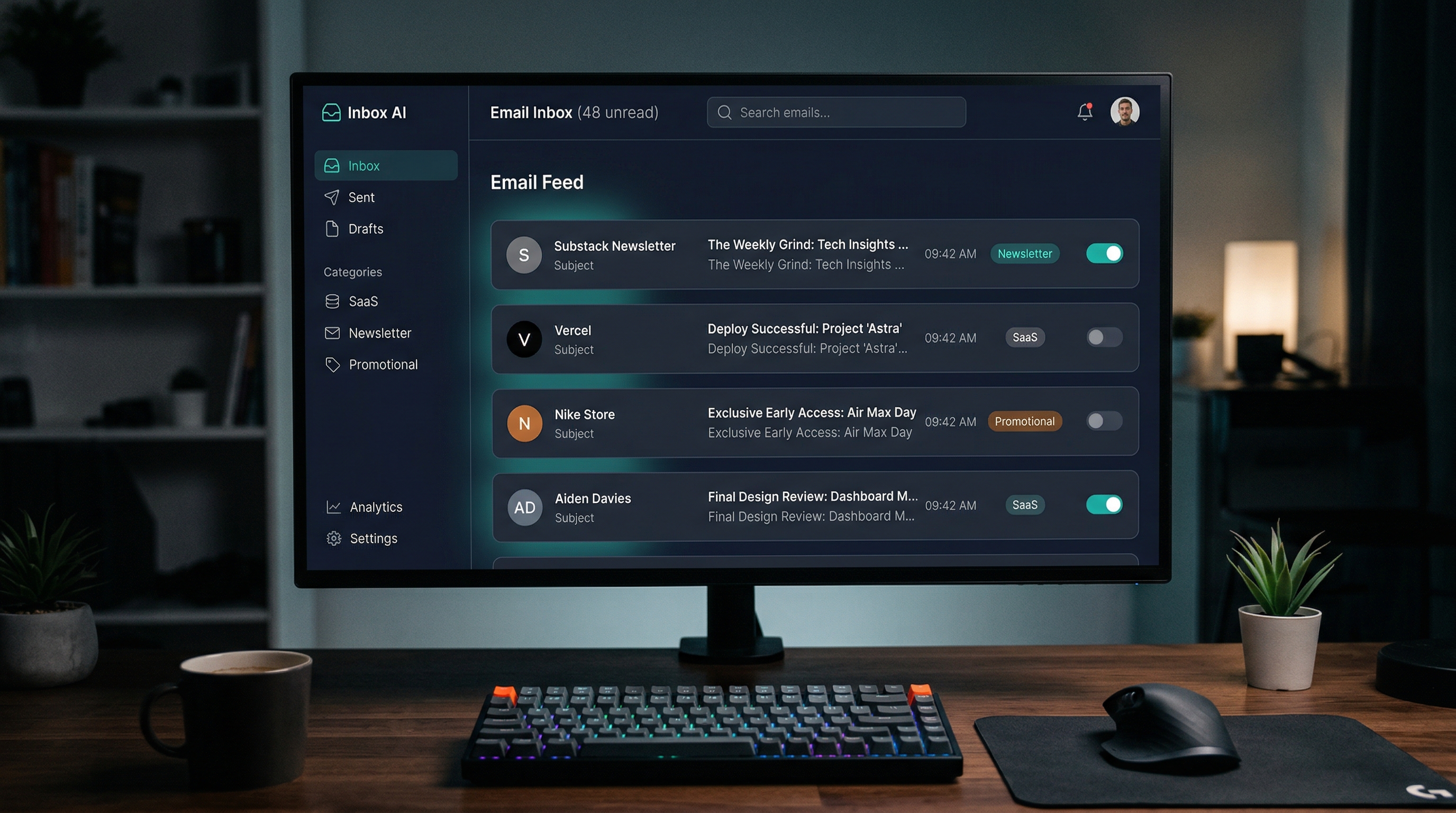
I Built InboxDetox in Two Evenings — This Is What Disposable Software Looks Like
InboxDetox is an AI-powered email unsubscribe manager built in two evenings and deployed to Railway. It is on GitHub. Take it.

I Didn't Download an App. I Described My Problem to an AI and It Built One for Me.
A Maternal-Fetal Medicine specialist describes how his personal AI health system identified low HRV, recommended breathing exercises, and prompted him to build a custom evidence-based breathing app in a single afternoon. A case study in disposable software, physician agency, and the future of personal health technology.

Maternal-Fetal Medicine Specialist